eDM Diagnostic Manager: Audiology and Vestibular Data Management Software From BioMed Jena

The eDM (Diagnostic Manager) is audiology and vestibular data management software from BioMed Jena (Germany), released in 2021 as part of a company history that goes back to 1997. Unlike practice management software, which focuses on appointments and billing, the eDM is built to manage the diagnostic results from BioMed Jena's devices, including audiometry, middle-ear analysis (tympanometry), evoked potentials, otoacoustic emissions, and vestibular testing, in a single patient database. It can connect to your existing clinic system through a GDT interface (HL7 on request).

The eDM (Diagnostic Manager) is diagnostic data management software from BioMed Jena (Germany, founded in 1997). It is built to manage, display, and archive the data from audiology, vestibular, and ENT tests in a single patient database, however many BioMed Jena devices your facility uses.

Instead of a separate program for each device, the eDM gives you one interface and one patient record for the eAUDIO USB (audiometry), eTYMP USB (middle-ear analysis), eABR USB (auditory brainstem response, with an optional VEMP module), eOAE (otoacoustic emissions and newborn hearing screening), the eVNG USB and eHIT USB, and other vestibular devices.

iHear supplies the eDM software and BioMed Jena devices in the UAE, with technical support and training from its Abu Dhabi and Al Ain offices.

eDM Diagnostic Manager key specifications
Feature Details
System type Diagnostic data management software; BioMed Jena describes it as one software for all of its devices
Database Firebird database, with no storage limits
Licensing No workplace licence
Interfaces GDT interface included; HL7 on request
Compatible BioMed Jena devices eHIT USB, eDVA USB, eABR USB, eTYMP USB, eVEMP USB, eSVV, KALORIstar CT, eAUDIO USB, eOAE, eVNG USB, and ePOSTURO USB
Remote support The Anydesk remote control software can be started directly from the eDM
Operating system Windows 11 compatibility is listed for the eAUDIO USB and eABR USB software; ask iHear to confirm it for the eDM
Updates Free online software updates are listed for the eAUDIO USB software and the eABR USB; ask iHear about eDM updates
Import and export External PDF import and automatic PDF export

What Problem Does the eDM Solve? One Patient Database for Your BioMed Jena Devices
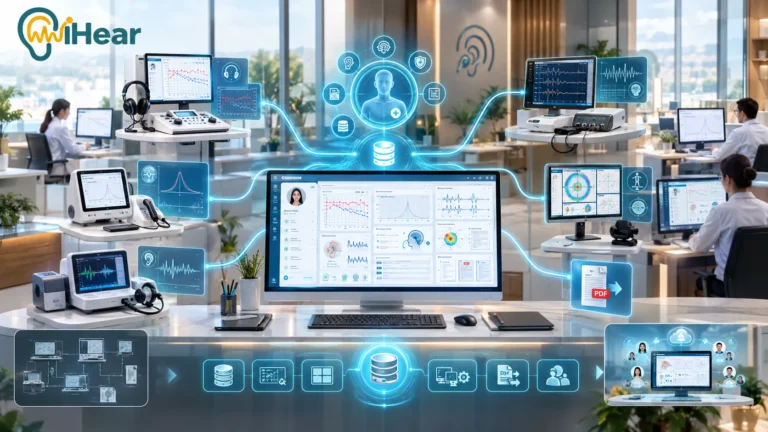
When a clinic or hospital uses more than one diagnostic device, patient data can end up scattered: the audiometry result in one program, the middle-ear analysis in another, and the patient record split across interfaces that do not talk to each other. The eDM helps address this with:
01
One patient database for all compatible devices, instead of separate records
02
Easy and quick data preview, with a view of the patient's different tests
03
Configurable overview of all measurements for each patient
04
Simpler data administration (one for all) instead of managing each device separately
05
External PDF import and automatic PDF export, so reports from other sources can sit in the same patient file
06
User profiles with independent settings for each user in your facility
EDM Diagnostic Manager Audiology and Vestibular Data Management Software From BioMed Jena

eDM Features: Audiology and Vestibular Data Management

One software for BioMed Jena devices
Only one patient database for all compatible devices
Easy and quick data preview
Configurable overview of all measurements
Easy data administration (one for all)
External PDF import and automatic PDF export
User profiles with independent settings for each user
Network support and facility-wide use
A measurement schedule can be created for every patient
No storage limits (Firebird database)
No workplace licence: no extra licence fee for each workstation
GDT interface included; HL7 on request, for connecting to hospital systems
Technical support
Remote support: the Anydesk remote control software can be started directly from the eDM

eDM Network Support and Hospital System Integration (GDT and HL7)

As a center or hospital grows, with more test rooms, more than one branch, or an internal health system already in place, the question shifts from “Is the software good?” to “Will it fit our IT setup without extra cost or complexity?” Here are three areas to check for the eDM:

1. Network Support and Database
Network support: the eDM works over a network, with a single patient database for your facility. Ask iHear how many workstations your setup supports.
Firebird database with no storage limits, so the database can grow with the size of your center.
No workplace licence: BioMed Jena lists the eDM without a licence fee for each workstation, so adding a new exam room or computer does not need a new workplace licence.
2. Data Exchange Interfaces: GDT and HL7
GDT interface included, for exchanging data with clinic and practice software that supports GDT.
HL7 interface on request. HL7 is a widely used standard for exchanging health data between hospital systems, so it can be used to connect the eDM to a hospital information system (HIS). Whether it can connect to a particular system, including a regional health information exchange platform, depends on your facility and on that platform's requirements, so ask iHear to assess it.
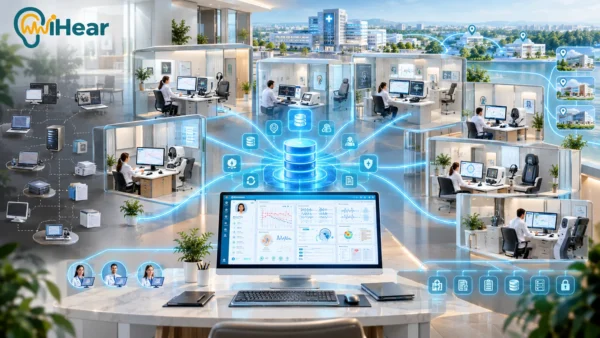
BioMed Jena's diagram shows the eDM connecting devices, external findings, and a PDMS (patient data management system), so audiology and vestibular data can sit alongside the rest of the patient's record.
3. Remote Technical Support
Remote support: the Anydesk remote control software can be started directly from the eDM, which helps your support team assist with technical problems remotely.
What This Means for Your IT Team:
The eDM includes a GDT interface and offers HL7 on request, so it is designed to work with existing systems through common data exchange standards. The details of any connection depend on your IT setup, so ask iHear to review it before you buy.
EDM Network Support and Hospital System Integration GDT and HL7

Who Needs the eDM Diagnostic Manager? Use Cases by Facility Type

Facility types that can use the eDM Diagnostic Manager
Facility type How it can use the eDM
Large hospitals and ENT departments Manage audiology and vestibular patient data from several devices and workstations in one place, with no workplace licence fee for each workstation
Integrated audiology and vestibular diagnostic centers Manage a single patient file that can hold tests from several devices (audiometry, middle-ear analysis, evoked potentials, otoacoustic emissions, and vestibular tests)
Facilities that need to connect to hospital systems (HIS) Use the GDT interface, or HL7 on request, to connect hearing and balance test data to other hospital systems. The details of any connection depend on your IT setup; ask iHear to review it.
Clinics with several doctors and technicians User profiles with independent settings for each user
Facilities planning to add more BioMed Jena devices later One software for BioMed Jena devices, so adding a compatible device does not call for a separate data management program

Who Is the eDM Diagnostic Manager For?
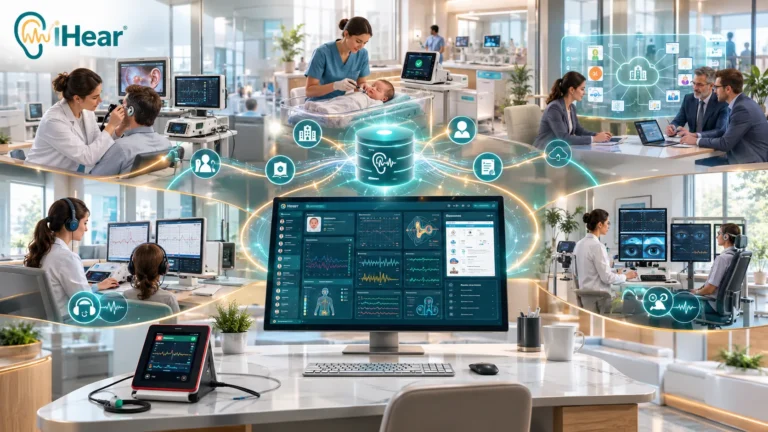
Private audiology clinics That want to keep patient records in one place and organize their daily workflow
ENT departments In hospitals that want to connect test devices to hospital systems through GDT, or HL7 on request
Newborn hearing screening centers That use the eOAE and want screening data stored in a patient database; how it connects to any health program or system depends on your facility
Vestibular rehabilitation centers And dizziness and balance clinics that manage VNG, vHIT, and VEMP test data alongside hearing data
Institutional buyers And medical procurement departments looking for one data management software for BioMed Jena devices, with no workplace licence fee for each workstation
Who Is the eDM Diagnostic Manager For

eDM vs. General Practice Management Software: Which Do You Need?

eDM compared with general practice management software
Criterion eDM (BioMed Jena, through iHear) General practice management software
Main function Manages the diagnostic test results from BioMed Jena devices Manages appointments, billing, and administrative records for the whole clinic
Data managed Audiograms, tympanograms, ABR, OAE, and balance test data Administrative and financial data, and patient appointments
Specialty Built for BioMed Jena devices General, for any medical specialty
Does one replace the other? No. It can connect to your existing clinic system through GDT, or HL7 on request No. Whether it can show results from diagnostic devices depends on the software and the interfaces it supports, such as GDT; ask the vendor
Summary: you do not have to choose between the two. A clinic typically uses practice management software for its administration, and the eDM if it uses, or plans to use, BioMed Jena devices for diagnostics. The two can work together where the practice software supports GDT or HL7; ask iHear to review your setup.

eDM Compatible BioMed Jena Devices: One Database for Audiology and Vestibular Tests

One reason hospitals and diagnostic centers consider the eDM is that it can bring the data from a range of BioMed Jena devices into a single patient database, instead of a separate system for each device or subspecialty. According to BioMed Jena’s catalogue, the compatible devices fall into two groups:

Audiology Devices Compatible With the eDM
eAUDIO USB Audiometry
eTYMP USB Middle-ear analysis (tympanometry)
eABR USB Auditory evoked potentials (ABR)
eOAE Otoacoustic emissions and newborn hearing screening
Vestibular and Balance Devices Compatible With the eDM
eHIT USB Video head impulse test (vHIT)
eDVA USB Dynamic visual acuity (DVA)
eVNG USB Video nystagmography (VNG)
eVEMP USB Vestibular evoked myogenic potentials (VEMP)
eSVV Subjective visual vertical (SVV)
ePOSTURO USB Posturography
KALORIstar CT Caloric testing
In summary: a facility that offers both audiology and vestibular testing with BioMed Jena devices can manage its patients' data from these devices in one patient database, instead of moving between separate programs and databases for each device or subspecialty. Ask iHear which of these devices are available in the UAE.

Buy the eDM Diagnostic Manager and BioMed Jena Devices in the UAE From iHear

Authorized distributor of BioMed Jena devices (Germany) in the UAE.
Technical support and training for your team on the devices and on the eDM software.
Installation and software setup support, and maintenance support for BioMed Jena devices.
Spare parts and warranty support for BioMed Jena devices. Ask iHear for the terms that apply to your purchase.
Headquartered in Al Ain, serving clinics and medical centers.
A branch in Abu Dhabi serving the medical sector.
📍 Al Ain Branch: Al Humaira, 136 Khalifa Bin Zayed Street, Mezzanine 2, Office 3
📍 Abu Dhabi Branch: Sultan Bin Zayed The First Street (Muroor Road), Building 1210, Offices M6
☎ Al Ain phone: +971 3 768 5563
☎ Abu Dhabi phone: +971 2 681 3841
📧 Email: Info@ihear.ae
📱 WhatsApp: +971 50 208 4569

📞 Contact the iHear team in Al Ain or Abu Dhabi to request an audiometer quote for your clinic on WhatsApp

Start a WhatsApp Chat

eDM Diagnostic Manager FAQ: Common Questions About the Data Management Software

The eDM (Diagnostic Manager) is software from BioMed Jena (Germany) for managing diagnostic data from its audiology and vestibular devices in a single patient database. BioMed Jena describes it as a solution for measuring, visualizing, managing, and storing ENT data acquired by its devices. It suits facilities that use BioMed Jena devices, such as audiology clinics, ENT departments, and vestibular centers.

The eDM is software, not a physical device. The tests are performed with BioMed Jena devices, and their data is managed, displayed, and archived in the eDM.

iHear (ihear.ae) is the authorized distributor of BioMed Jena devices and software in the UAE, headquartered in Al Ain with a branch in Abu Dhabi. To request a quote or a consultation, contact iHear on WhatsApp at +971 50 208 4569.

Contact iHear for a quote based on your facility's needs. BioMed Jena lists the eDM with no workplace licence, so adding workstations does not call for a licence fee for each workstation.

BioMed Jena's catalogue lists these devices as compatible with the eDM: eAUDIO USB (audiometry), eTYMP USB (tympanometry), eABR USB (evoked potentials), eOAE (otoacoustic emissions), eHIT USB (video head impulse test), eDVA USB (dynamic visual acuity), eVNG USB (video nystagmography), eVEMP USB (vestibular evoked myogenic potentials), eSVV (subjective visual vertical), ePOSTURO USB (posturography), and KALORIstar CT (caloric testing). Ask iHear which of these devices are available in the UAE.

BioMed Jena's catalogue lists its own devices as compatible and does not state support for other manufacturers' devices. The eDM can import external PDF reports into the patient file, and it offers a GDT interface (HL7 on request) for exchanging data with other systems. Ask iHear about your specific equipment.

No. The eDM manages diagnostic test data from BioMed Jena devices, while practice management software handles appointments and billing. The eDM can connect to your existing clinic system through a GDT interface (HL7 on request), so neither has to be replaced.

BioMed Jena lists the eDM with no storage limits, using a Firebird database. Practical performance depends on your hardware and network, so ask iHear to review your setup.

No. BioMed Jena lists the eDM with no workplace licence, so there is no licence fee for each workstation.

Yes. BioMed Jena lists network support for the eDM, with one patient database, and user profiles with independent settings for each user. Ask iHear how many users and workstations your setup supports, and how to use it across more than one location.

The eDM includes a GDT interface and offers an HL7 interface on request. BioMed Jena's diagram shows the eDM connecting devices, external findings, and a PDMS (patient data management system). Whether it can connect to your hospital information system depends on your IT setup, so ask iHear to review it before you buy.

GDT is a data exchange interface commonly used between device software and practice software. HL7 is a widely used standard for exchanging health information between hospital systems. The eDM includes a GDT interface, and HL7 is available on request.

BioMed Jena's catalogue does not mention UAE health information exchange platforms such as Malaffi, Riayati, or Nabidh. The eDM offers HL7 on request, but whether a connection to a particular platform is possible depends on your facility and on that platform's requirements. Ask iHear to assess it for your facility.

Yes. The eDM supports external PDF import, so reports from other sources can be stored in the patient file, and it exports reports as PDF automatically.

The Anydesk remote control software can be started directly from the eDM, which helps a support team assist with technical problems remotely. Ask iHear about remote support for your facility.

The eOAE, BioMed Jena's otoacoustic emissions device with a newborn hearing screening mode, is listed as compatible with the eDM, and the eOAE datasheet lists full integration with the eDM. How screening data connects to any health program or system outside the eDM depends on your facility.

BioMed Jena's catalogue lists Windows 11 compatibility for the eAUDIO USB and eABR USB software, but its eDM pages do not state a Windows version. Ask iHear to confirm the system requirements for the eDM.

BioMed Jena's catalogue lists free online software updates for the eAUDIO USB software, and a lifetime free online update for the eABR USB. Its eDM pages do not state update terms, so ask iHear about eDM updates.

The eDM is made by BioMed Jena GmbH, a German company based in Jena and founded in 1997. BioMed Jena's catalogue lists the release of the eDM and the eOAE in 2021.

According to BioMed Jena: one software for its devices, a single patient database, easy and quick data preview, a configurable overview of all measurements, easy data administration, external PDF import and automatic PDF export, user profiles, a measurement schedule for every patient, network support, no storage limits (Firebird database), no workplace licence, a GDT interface (HL7 on request), and Anydesk remote support started from the eDM.

Ask iHear about a demonstration of the eDM before you buy. You can contact iHear on WhatsApp at +971 50 208 4569 to discuss your needs.

iHear offers technical support and training for the eDM and BioMed Jena devices in the UAE, from its offices in Al Ain and Abu Dhabi. Ask iHear what applies to your purchase.

BioMed Jena's catalogue does not list a regulatory status for the eDM software. To confirm the registration status and the documents your facility needs, contact iHear before you buy.
دون عنوان 200 x 200 بيكسل

For more information

Feel free to contact us anytime. Our team is always ready to help you.